
macOS App
Clean your Mac
without the chaos
Lock your keyboard and trackpad while you wipe down your Mac. No accidental inputs, no random clicks—just a spotless screen.
Buy on Gumroad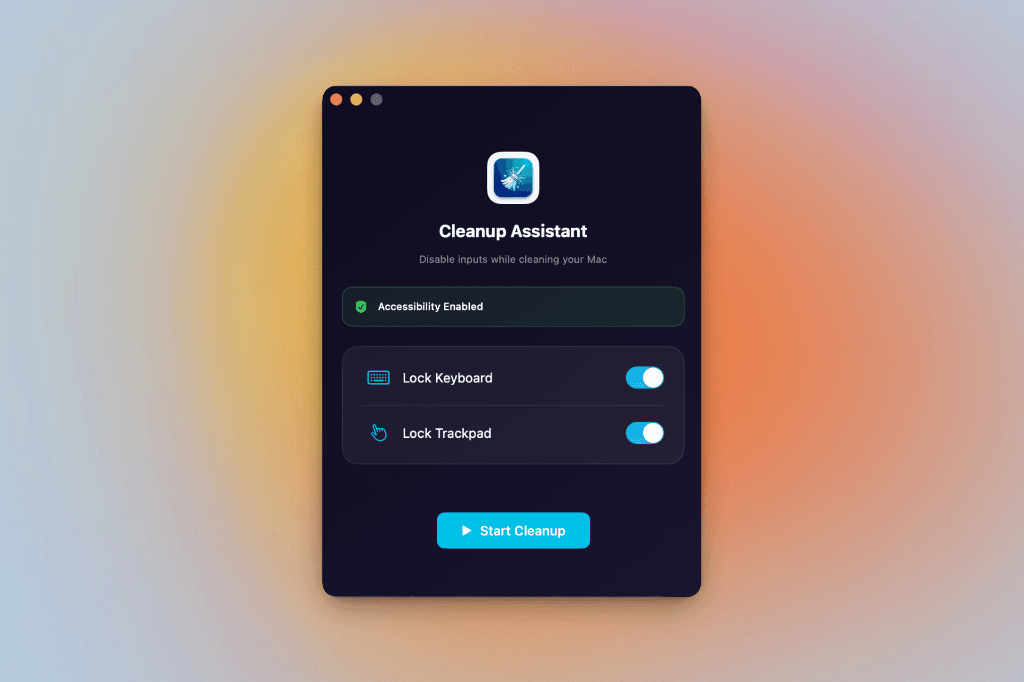
Everything you need
Simple yet powerful controls to keep your Mac safe while cleaning.
Lock Keyboard
Disable all keyboard inputs while you clean. Every key is blocked until you unlock.
Lock Trackpad
No more accidental clicks or gestures. Your trackpad is completely disabled.
Quick Unlock
Press both Command keys simultaneously to instantly unlock your Mac.
Accessibility Aware
Works seamlessly with macOS accessibility permissions for secure input control.
How it works
Three simple steps to a clean Mac.
1
Enable
Toggle keyboard and trackpad locks
2
Clean
Wipe your Mac without accidental inputs
3
Unlock
Press both ⌘ keys to resume
Ready for a clean Mac?
Stop accidentally opening apps while wiping your screen. Get Cleanup Assistant today.
Buy on GumroadRequires macOS 12.0 or later